
.gif)
Background

Research Insights
We got several responses that were similar to the quote below:
"I could help customers faster if I could actually see what's on their screen and walk them through what they need to do. "
Business & Customer Goals

- Better support user needs: Saves time and effort of going in store to get help when trouble-shooting
- Improve business outcomes: Supports customer education and guides less Tech savvy customers through difficult features
Key Personas
Customer Service Rep
Needs:
- Accurate visualization of customer mobile screen in order to effectively help them rouble shoot
- Maintain trust with customer by being knowledgeable and having the ability to accurately solve customer problems
T-Mobile Customer
Digital Novices: These would be most likely to benefit the most from screen share as they are not comfortable using technology
Needs:
- In depth step by step guidance to go though more rigorous transactions
- Save time, effort of having to go in store for assistance
Design Principles

Digital Adoption
Enable personalized support, guiding customer step by step confidently
Digital Advocacy
Provides Expert with real time access to latest app interface
Security & Safety
Offer safe and secure support to customers
Considerations & Constraints

Screen share available only on the T-mobile app
For the 1st iteration, screen share would only be available on the T-life app. Future iterations would allow for Mobile Web activation.
3rd party Partner - Google
Engineering would leverage Google - CoBrowse to build and enable this experience. It would limit UI and visual representations of the programe.
Privacy
Ensuring customer privacy by covering up sensitive data from the Customer service rep, and allowing the customer to stop sharing their screen anytime they want.
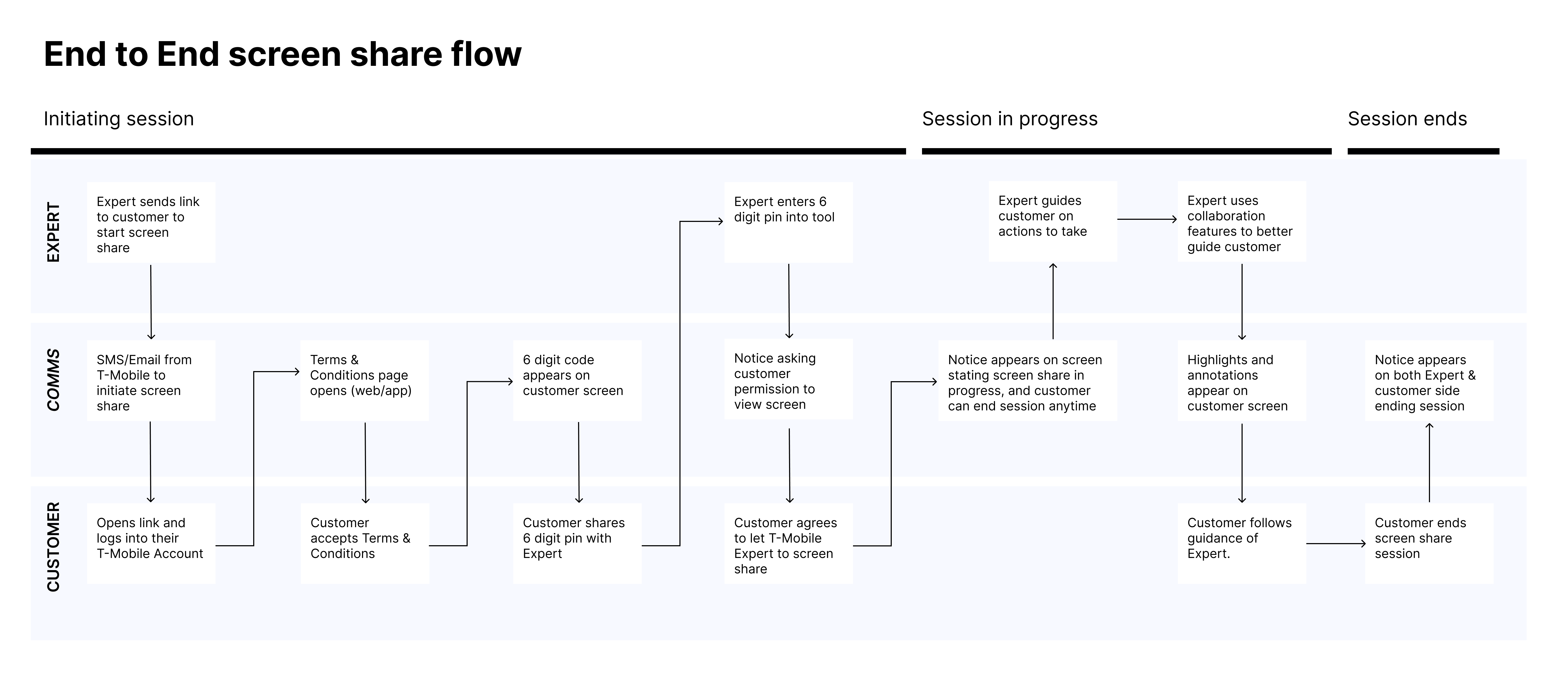
Customer flow
Explorations & iterations
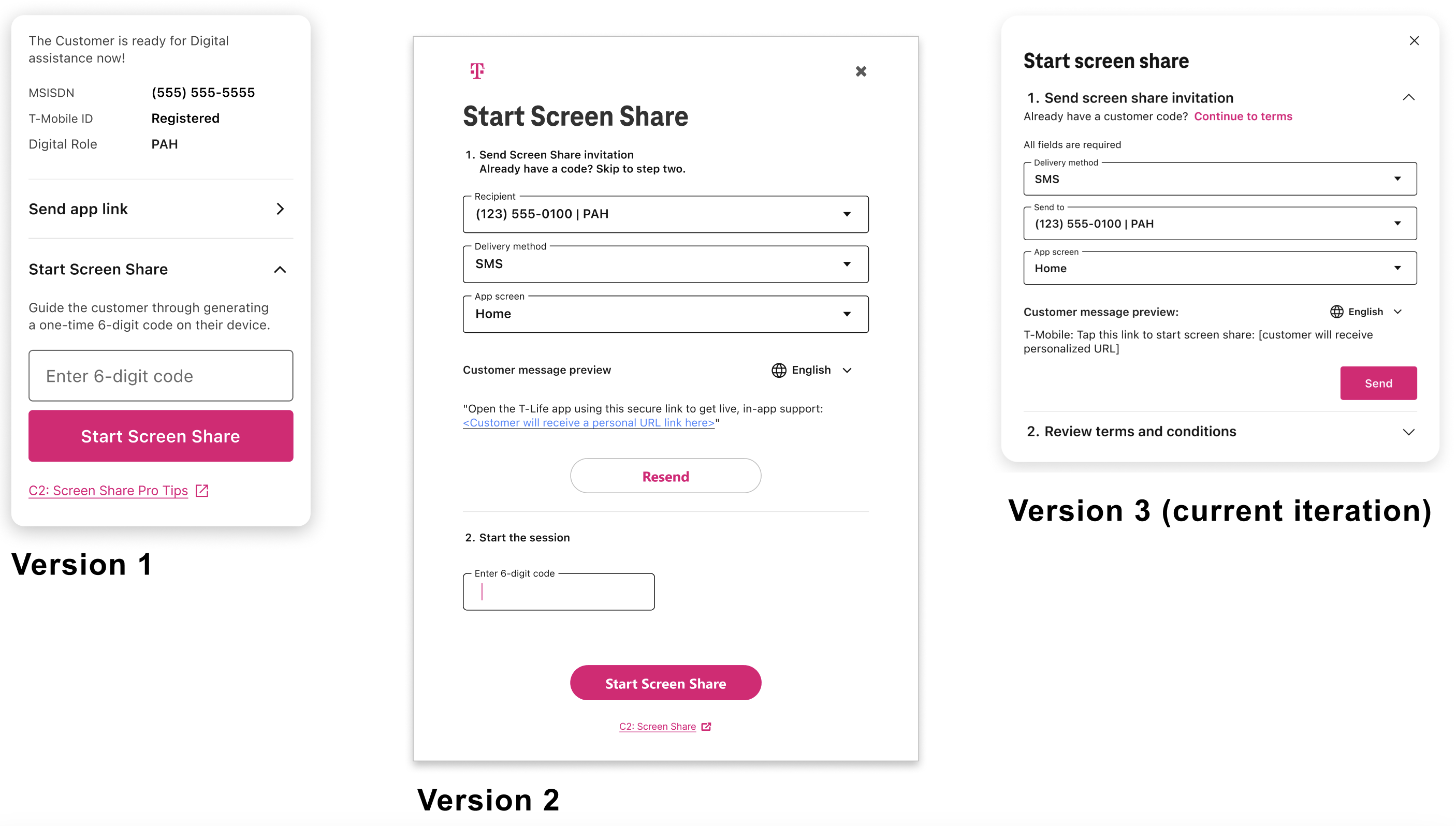
Final designs for screen share
We wanted to see what users responded to the most. We knew that downloading and saving were key actions for users. But we also wanted to make it easy for users to log in if they were logged so that they could get more capabilities. So we tested having users sign up, or having users copy the link to share as one of the main CTAs.
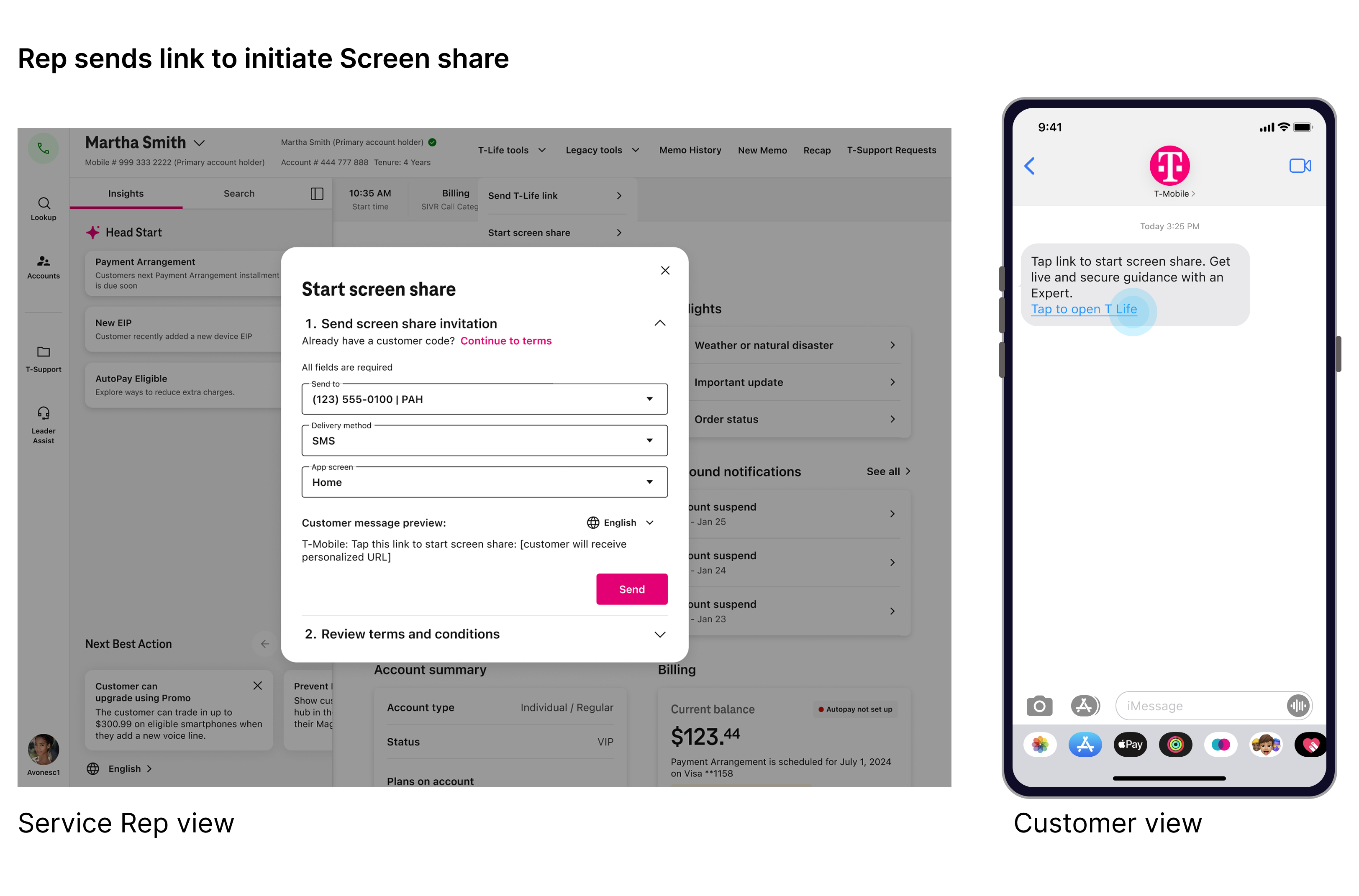
Step 1: Initiation
Customer rep sends a text to customer's phone to iniatate screen share
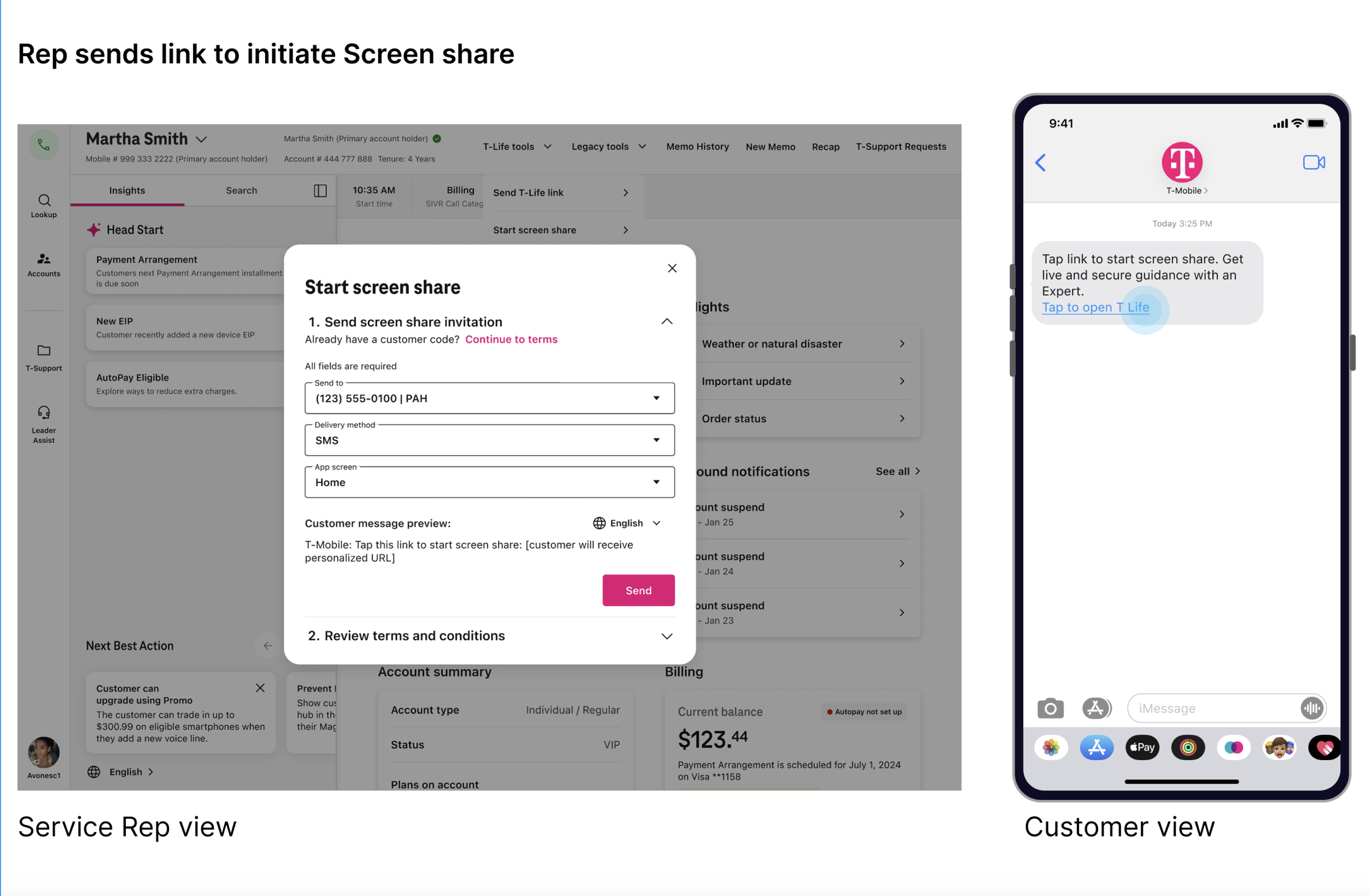
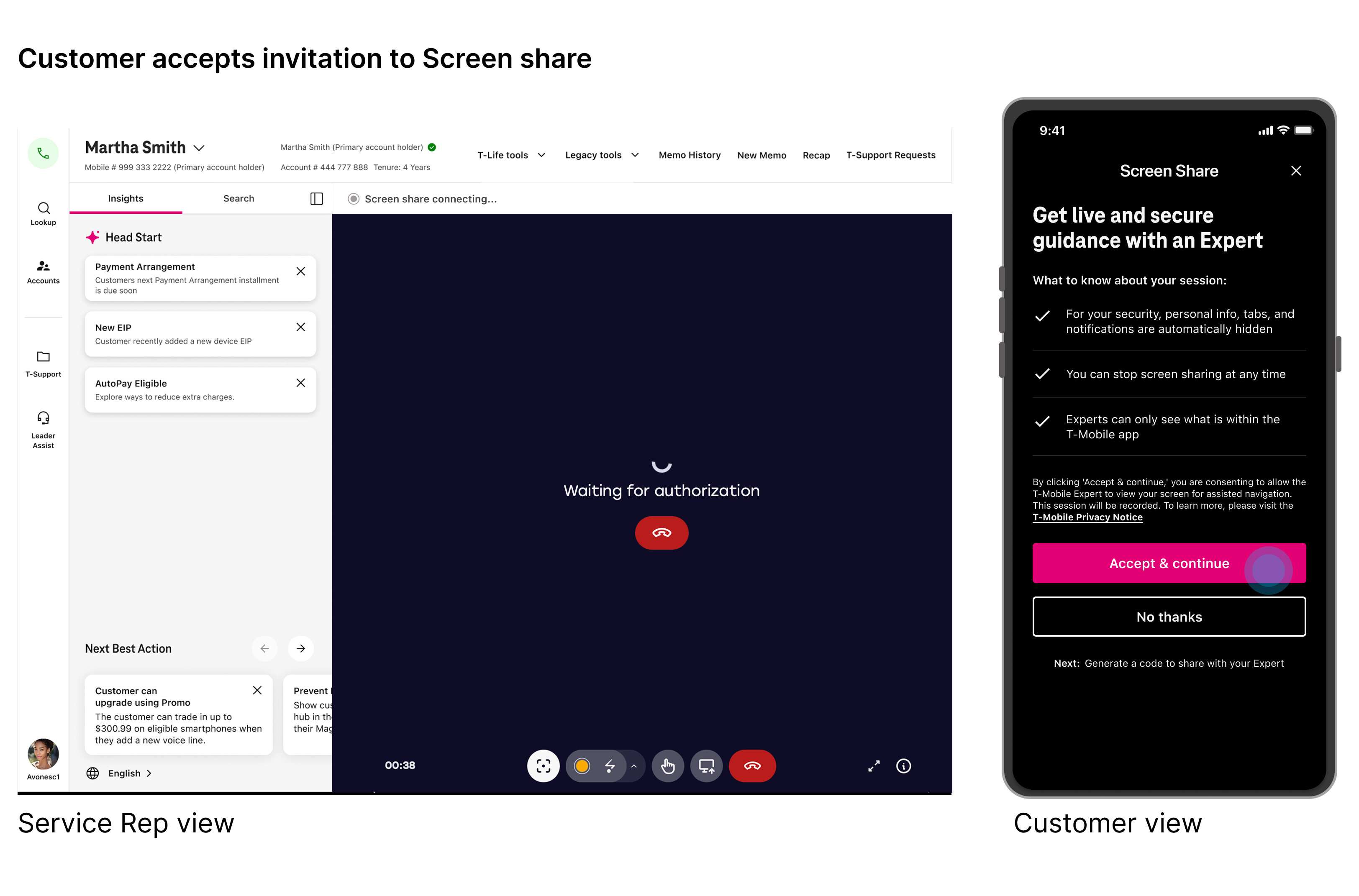
Step 2: Customer accepts invitation

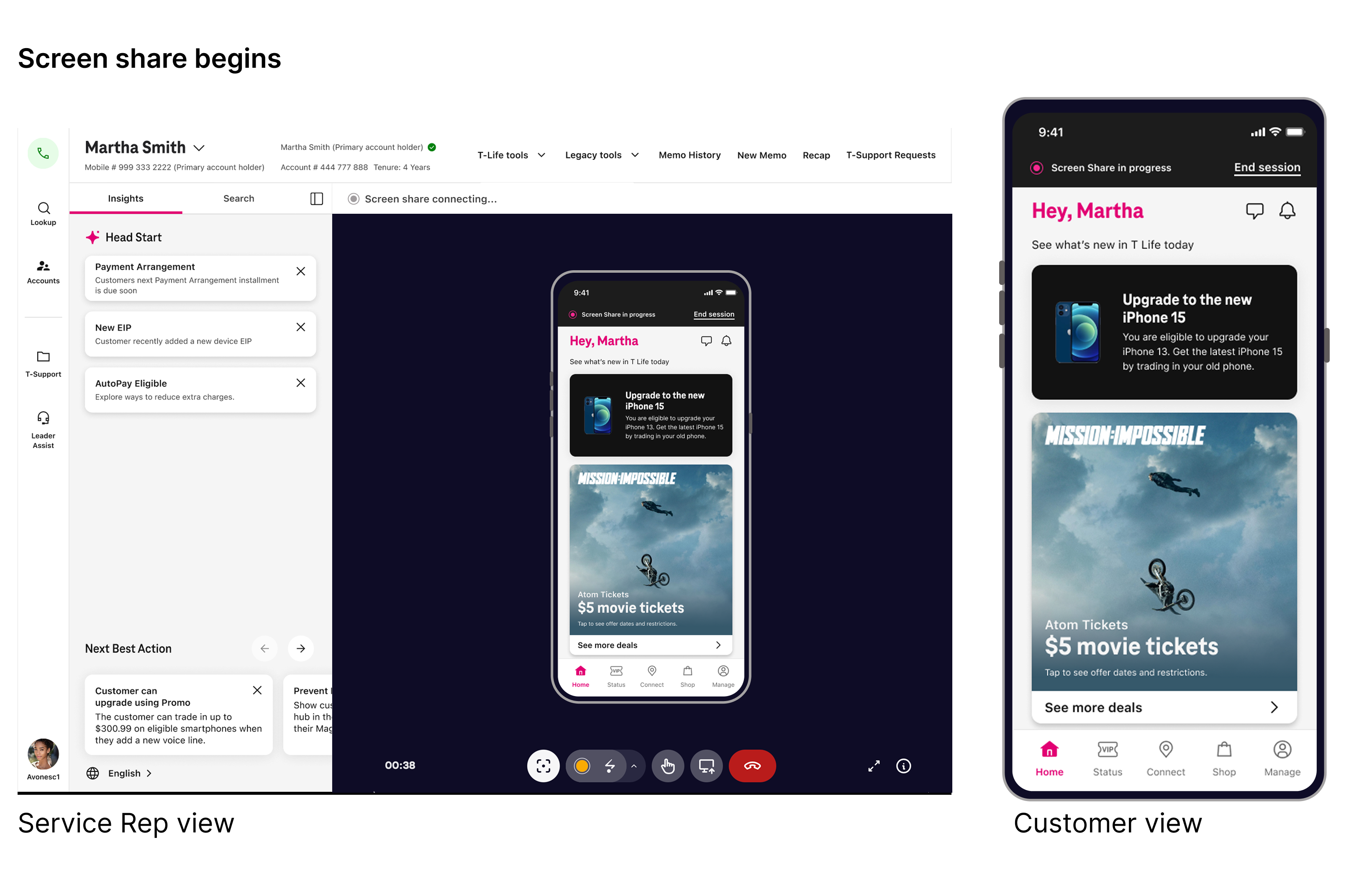
Step 3: Screenshare is initiated

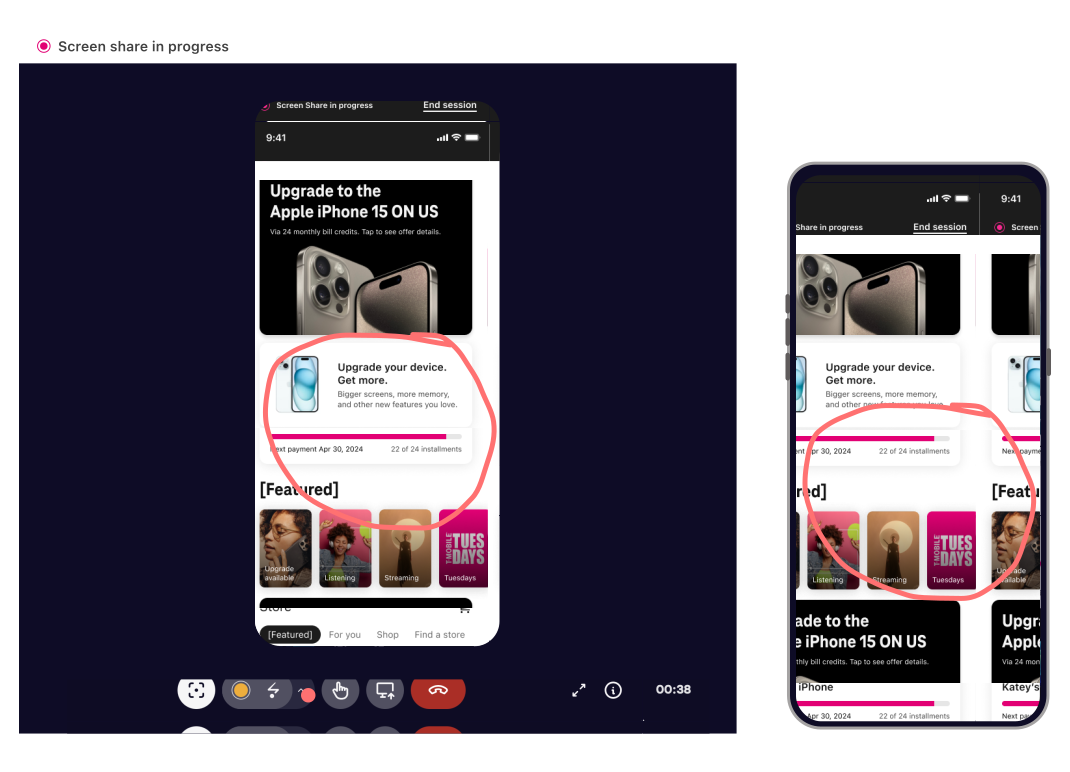
Step 4: Screenshare in progress
Customer rep can use tools to highlight areas in which customer should pay attention. This would be visible as well on the customer side and makes it easier to troubleshoot.
Launch metrics
Results
Adoption rate: 35% which was 10% more than expected
NPS Score: 34.5% which was about 15% lower than expected
